
Mary Kay® Skin Analyzer
Mary Kay, IncBeauty
4.5427.00 Reviews
- Version
- 1.5
- Installs
- 100.00K
- Age Rating
- Everyone
Screenshots
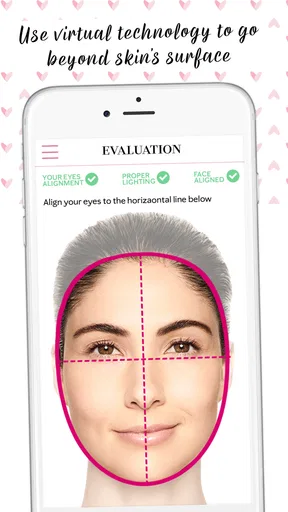
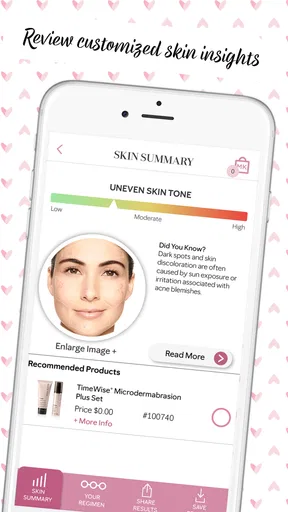
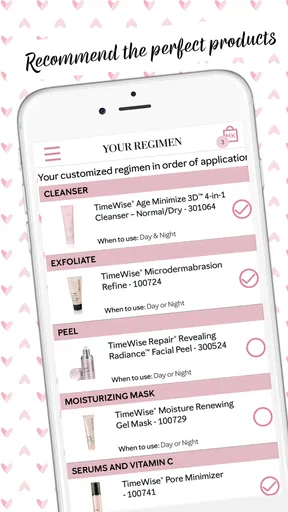
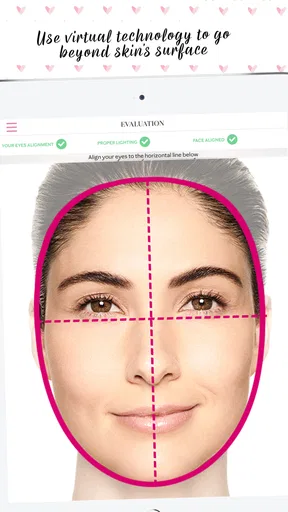
Our Review of Mary Kay® Skin Analyzer
 Analysis by Appyee
I approached Mary Kay® Skin Analyzer as a practical beauty app rather than a replacement for a dermatologist or a complete shopping platform. Its central idea is simple: use technology to make a skin-care conversation more personal. In my experience, that focus makes the app most useful when I want help organizing what I notice about my skin, not when I expect a medical diagnosis or an instant solution.
Developed by Mary Kay, Inc, this free Beauty app is aimed at people who want a more guided way to think about their routine. It is available for Everyone and works on devices running Android 6.0 or later. The app has reached over 100 thousand installs and holds a 4.6 average from around 1.1 thousand ratings, which suggests that its straightforward approach appeals to a meaningful group of users.
The important question is not whether an analyzer sounds impressive. The useful question is whether it helps me make a better everyday decision: what should I pay attention to, how should I discuss my concerns, and which parts of my routine deserve a closer look? That is where this app has its strongest role.
A closer look at the app’s skin-analysis approach
I’d use this section to look beyond the word “analysis” and consider how a guided skin-care check-in can help turn a vague concern into a question I can act on. The useful distinction is between noticing patterns and treating an app’s guidance as a diagnosis; keeping that in mind makes the next part easier to judge.
The capability that matters most
The defining capability is the way the app brings skin care and digital guidance together. Rather than leaving me with a vague feeling that my skin looks tired, dry, uneven, or congested, it encourages a more structured assessment. That shift is small, but it can make a routine easier to understand.
I find this especially helpful for people who tend to buy products based on attractive packaging or a single recommendation. An analysis-focused tool creates a pause before that impulse. It encourages me to identify the concern first, then consider whether my current habits actually address it. That is a more sensible order than collecting products and hoping they work together.
The real benefit is better decision-making, not a magical diagnosis. Skin changes from day to day because of sleep, weather, stress, cleansing, makeup, and hydration. A digital result should therefore be treated as a conversation starter and planning aid. It can help me describe what I am seeing, but it should not replace professional advice for persistent, painful, or worrying symptoms.
This distinction also explains why the app may feel more valuable to a beginner than to an experienced skin-care user. Someone new to routines often needs a framework: what to observe, what to prioritize, and how to avoid changing everything at once. A knowledgeable user may find the same guidance less revealing, especially if they already track their concerns carefully.
What using it feels like in practice
When I use a tool like this, I get the best results by treating the process as a calm check-in rather than a test I need to pass. I would start with a clean, comfortable face and avoid judging the result immediately after applying makeup or a heavy product. The point is to create a more consistent starting point, so the guidance reflects my usual skin rather than a temporary layer on top of it.
I also recommend looking at the outcome alongside real-life context. If my skin feels tight after cleansing but appears shiny later, those observations belong together. If a concern appears only after a new product, I would record that connection instead of assuming the analyzer has identified a permanent skin type. The app becomes more useful when its guidance is combined with my own observations.
One non-obvious advantage of this approach is that it can reduce routine overload. Many people respond to every concern by adding another product. I would use the analysis to choose one priority, keep the rest of the routine stable, and then observe how things develop. That makes it easier to understand what helped and what caused irritation.
Another practical tip is to use the app before a consultation with a Mary Kay beauty professional or before reviewing products already in the bathroom. Having a clear description of the concerns I want to discuss makes the conversation more efficient. I can ask whether a suggested routine fits my habits, rather than simply accepting the first attractive option.
The current version is 1.5, and the app was released on January 15, 2019. Those details matter mainly because expectations should remain realistic: this is an established, focused mobile experience, not necessarily the kind of constantly changing social beauty platform some users may expect from newer apps.
The everyday situation where it makes the most sense
The best scenario for me is a person who looks in the mirror before work and feels that their routine is no longer matching what their skin needs. Perhaps the weather has changed, their schedule is more stressful, or they have started noticing a concern but cannot explain it clearly. Instead of buying several products that night, they can use the app to organize the issue and decide what deserves attention first.
Imagine someone preparing for a weekend event. They notice that their skin looks dull and immediately consider a harsh exfoliating product, a new mask, and a different moisturizer. I would take a slower route: use the analyzer as a guide, review the current routine, and avoid introducing several unfamiliar products close together. If the app helps turn panic into a short, manageable plan, it has done something genuinely useful.
It can also help a parent or partner who wants to understand skin care without spending hours reading conflicting advice. The Everyone rating makes it approachable for a broad audience, although younger users still benefit from adult guidance when choosing products or interpreting noticeable skin problems. The app is easiest to use when the goal is education and routine planning rather than treatment.
A further use case is preparing for seasonal changes. I might check how my skin feels when indoor heating, humidity, or sun exposure changes, then compare my notes with the guidance I receive. I would not treat a single session as a final answer. Repeated, sensible observation is more useful than chasing a new result every day.
Where it differs from ordinary beauty alternatives
The usual alternative is to search the web, watch short beauty videos, or ask friends what they use. Those options can provide inspiration, but they often mix personal preference with strong claims and may encourage a long list of purchases. This app’s advantage is its narrower focus: it gives me a structured starting point connected to Mary Kay’s skin-care context.
That connection is also the main trade-off. If I want a completely brand-neutral comparison across many companies, a general skin diary or an independent ingredient reference may suit me better. Those alternatives can be preferable when my main goal is tracking reactions, comparing formulas, or building a routine from products made by different brands.
Compared with a dermatologist, the app is obviously more convenient and less intimidating for an initial self-check, but it does not occupy the same role. A professional can examine symptoms in context and recommend medical care when appropriate. I would use this app for everyday guidance and reserve clinical concerns for a qualified healthcare provider.
Compared with a basic notes app, the analyzer offers more direction. A notes app may be better for recording dates, products, and reactions in detail, but it does not provide the same guided skin-care starting point. My preferred approach would be to use the analyzer for initial reflection and a simple note for tracking what I changed afterward.
The friction and limitations I would keep in mind
The biggest limitation is the risk of treating a digital assessment as more precise than it really is. Skin is not static, and appearance can be affected by lighting, recent cleansing, makeup, facial expression, and temporary irritation. I would avoid making major decisions from one result, especially if it conflicts with how my skin consistently feels.
There is also a learning curve in interpreting guidance responsibly. A beginner may see a concern and assume that adding more products is automatically the answer. In my view, the better response is to simplify: identify the main issue, make one reasonable change, and give the routine time before judging it. The app can support that discipline, but it cannot enforce it.
Users who want extensive customization may find the experience limited compared with a dedicated skin journal. A journal can capture exact product names, application times, environmental changes, and reactions over a long period. This app is more useful at the front end of the process, when I need help framing the question, than at the back end, when I want a detailed personal research record.
Brand alignment may also influence how useful the recommendations feel. Someone already interested in Mary Kay may appreciate the natural connection to the company’s beauty ecosystem. Someone who wants no brand association may prefer a neutral tool. Neither preference is wrong; it simply changes whether the app feels like a helpful guide or a narrower shopping-related experience.
Because it is free, the barrier to trying it is low. Still, free access should not be confused with a guarantee that every recommendation will fit every person. I would check ingredients, consider known sensitivities, and introduce products cautiously. If my skin is painful, rapidly changing, infected-looking, or persistently irritated, I would stop experimenting and seek professional advice.
Who will gain the most from it
I think the strongest audience is someone who wants a guided introduction to skin care and prefers a practical starting point over a large library of technical information. The app is also a good fit for people who become overwhelmed by online advice. Its focused purpose can help narrow the conversation to what I am actually trying to improve.
It may be especially useful before speaking with a beauty adviser. Rather than arriving with a vague request for “something better,” I can identify the concern, explain my current habits, and ask more precise questions. That makes the interaction feel less like guessing and more like collaborative problem-solving.
People who should skip it are those seeking medical diagnosis, detailed ingredient science, or a fully independent product database. They may be better served by a dermatologist, a clinical resource, or a neutral tracking app. I would also skip it if I already have a carefully tested routine and a detailed method for monitoring changes; in that case, the analyzer may add less value than it does for a newcomer.
For families, the Everyone content rating is reassuring from an accessibility standpoint, but sensible supervision still matters when a younger person is interpreting skin concerns or considering new products. A friendly interface should not encourage anyone to self-treat a condition that needs medical attention.
My practical way to get more from it
I would use the app at a stable time of day, with a clean face and realistic expectations. After reviewing the guidance, I would write down the main concern in plain language and keep the rest of my routine unchanged. That creates a simple baseline and prevents the common mistake of changing cleanser, moisturizer, mask, and treatment all at once.
Next, I would review whether the suggested direction fits my lifestyle. A routine that requires steps I will never remember is not useful, even if it sounds ideal. The best recommendation is one I can apply consistently. I would also consider whether my skin is reacting to a recent change, because solving the cause may be more sensible than adding another product.
Finally, I would treat the app as a repeatable check-in rather than an authority. If the guidance supports what I am noticing, it can help me stay focused. If it conflicts with persistent discomfort or a professional opinion, I would trust the appropriate healthcare advice instead. That balance is what keeps the technology helpful.
My final view after using the concept in real life
Mary Kay® Skin Analyzer works best as a focused skin-care companion for people who need structure before they choose their next step. Its value is not that it turns a phone into a clinic. Its value is that it can make an unclear beauty concern easier to describe, discuss, and approach without immediately overhauling a routine.
I like it most for beginners, occasional self-checks, and preparation for a more informed beauty consultation. I would be more cautious recommending it to advanced users who want long-term tracking, ingredient-level comparisons, or brand-neutral research. Those users may need a different tool alongside, or instead of, this one.
With a 4.6 average and over 100 thousand installs, it is clearly accessible enough to attract a broad audience, while its free price makes experimentation easy. My recommendation is to try it with a clean face, one clear question, and a willingness to make gradual changes. Used that way, it can bring useful order to skin-care decisions without promising more certainty than a mobile app can honestly provide.
Privacy and Permissions
See what permissions an app requests and how it handles your data.
- Photos/Media/Files
- read the contents of your USB storage, modify or delete the contents of your USB storage
- Storage
- read the contents of your USB storage, modify or delete the contents of your USB storage
- Camera
- take pictures and videos
- Wi-Fi connection information
- view Wi-Fi connections
- Other
- view network connections, full network access, run at startup, control vibration, prevent device from sleeping
Verdict
Strengths of Mary Kay® Skin Analyzer
- Personalized skin insights based on facial analysis
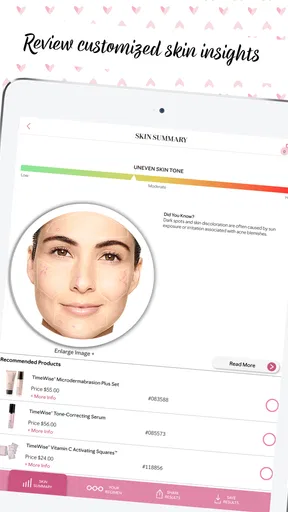
- Helps identify visible concerns such as dryness and uneven tone
- Simple interface suitable for first-time skincare users
- Useful for tracking changes across repeated assessments
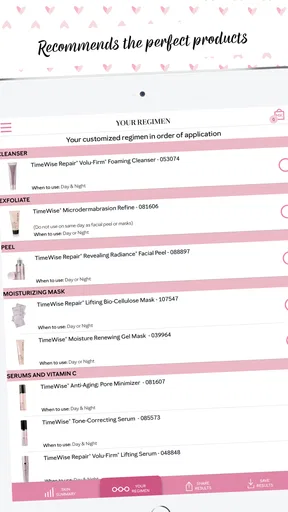
- Can support more informed product-selection decisions
Limitations of Mary Kay® Skin Analyzer
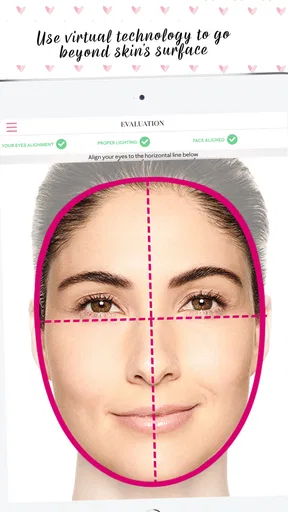
- Results may vary with lighting, camera quality, and facial positioning
- Analysis cannot replace advice from a dermatologist
- Some recommendations may favor Mary Kay products
- Requires sharing facial images or personal skin information
- Limited value for users seeking completely brand-neutral advice
Similar Picks in This Category
View All
Beauty Makeup Editor & Camera
Photo & Video Editors - Instant Solution4.7

Perfect365: Face Makeup Editor
Perfect365, Inc.3.5

Mirror Plus - HD Mirror app
Digitalchemy, LLC4.8

Cute Lock Screen & Wallpapers
Prometheus Interactive LLC4.6

HD Camera for Android
One Music Player4.5

Phone Mirror app - True Mirror
Cards4.6
Frequently Asked Questions
What is Mary Kay® Skin Analyzer, and how does it work?
Mary Kay® Skin Analyzer is a beauty and skincare assessment tool designed to help users learn more about their skin and receive personalized product or routine suggestions. After providing information and, depending on the version, completing an image-based analysis, the app evaluates visible concerns such as dryness, uneven tone, texture, or signs associated with aging. Results should be treated as general cosmetic guidance rather than a medical diagnosis.
Is Mary Kay® Skin Analyzer free to download and use?
The availability and cost can depend on your country, device, and the current version of the service. The app or analyzer may be free to access, while some recommended Mary Kay® products, consultations, or additional shopping features require payment. Before downloading or submitting information, check the official App Store or Google Play listing for pricing, in-app purchases, regional restrictions, and any account requirements.
Does the skin analysis provide accurate or professional results?
The analyzer can be useful for identifying general skincare concerns and helping you organize a routine, but it should not be considered equivalent to an examination by a dermatologist or licensed healthcare professional. Results may be affected by lighting, camera quality, makeup, facial expression, and the information entered. For persistent irritation, severe acne, suspicious changes, or allergies, seek qualified medical advice instead of relying only on the app.
What personal information or photos does the app require?
Depending on the platform and current features, Mary Kay® Skin Analyzer may request details such as skin type, age range, skincare goals, and possibly a facial image or camera access. Review the permissions and privacy policy before continuing, especially if you are uncomfortable sharing photographs or personal preferences. Avoid uploading images containing other people, and confirm how data is stored, used, retained, or deleted in your region.
Can I purchase Mary Kay® products directly through the Skin Analyzer?
The analyzer may connect its recommendations with Mary Kay® products, a beauty consultant, or an online shopping experience, although available options vary by country and app version. Recommendations are intended to support a cosmetic routine and are not guarantees of results. Check ingredient lists carefully, perform a patch test when appropriate, and consider your known sensitivities before purchasing or applying any suggested product.
